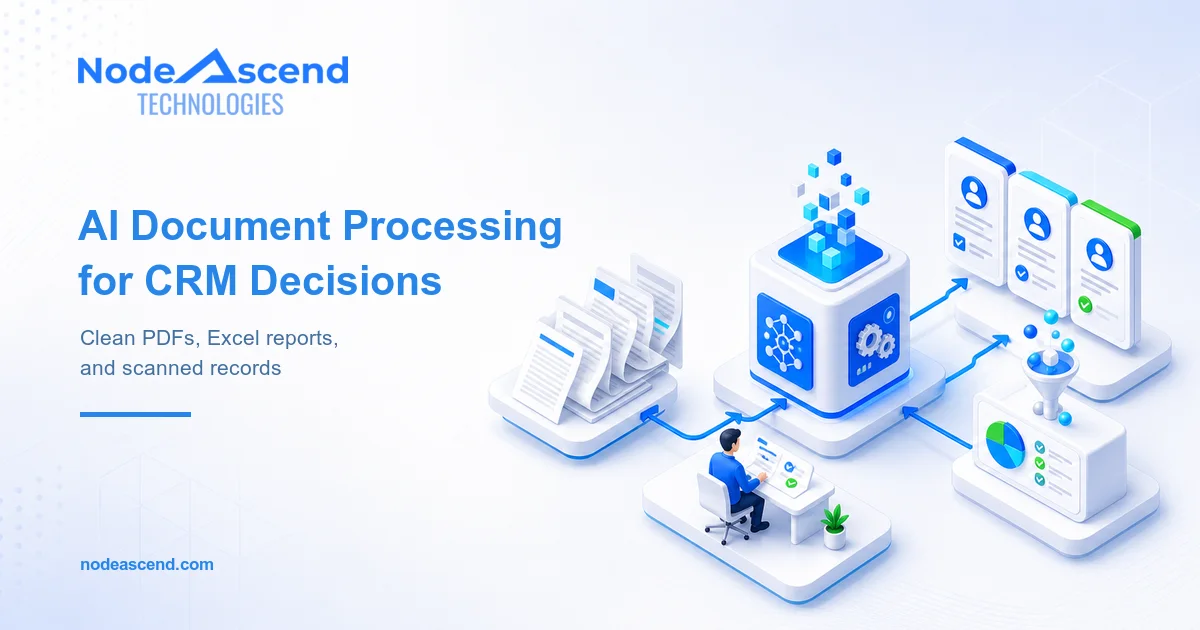
One client had years of reports spread across hard disks, shared folders and individual computers. Some were PDFs. Others were Excel workbooks, scanned pages or photographs of signed reports. File names had evolved with the team: final.pdf, final-new.pdf, client-final-2.pdf.
The proposed fix was familiar: buy more storage.
More storage would have delayed the warning. It would not have answered the question management actually cared about: what do these reports tell us, and can our in-house CRM surface that information before the next decision?
This is the practical case for AI and automation services in India. AI can help read, classify and normalise mixed documents, while software rules catch duplicates, validate fields and place approved records into the CRM. Humans handle exceptions. Original files remain protected.
NodeAscend is also the technical team other agencies bring into projects when a visual workflow stops being enough. We connect the AI model, document pipeline, existing CRM, permissions, review screens and cloud infrastructure as one accountable system.
It is less glamorous than a chatbot. It is also much more useful.
Key takeaways
- Storage capacity and document management are different problems.
- Preserve originals before cleaning, renaming or consolidating anything.
- Use OCR and document extraction for text and tables; use AI where interpretation is genuinely needed.
- Never write uncertain values into a CRM without a review state.
- Measure decision access and retrieval time, not only gigabytes removed.
Why another hard disk does not solve the problem
Storage is cheap enough to hide weak information management for years.
A team adds another drive, copies the old folders across and continues working. Nobody knows which file is authoritative. Reports for the same client appear under three spellings. Dates use different formats. One Excel sheet contains the final measurement while a later PDF contains the signed conclusion. Search works only when somebody remembers the original file name.
That creates four separate costs:
- Retrieval: experienced employees spend time hunting through folders.
- Duplication: the same document is backed up and shared repeatedly without anyone knowing it is the same object.
- Decision delay: managers receive a manually assembled view long after the work occurred.
- Operational risk: a convenient copy is mistaken for the approved version.
The answer is not to delete aggressively. That is how evidence disappears.
The first job is to understand what exists, preserve it and attach enough structure that the business can tell one report from another.
How AI and automation services handle mixed reports
The workflow starts in read-only mode. Before moving a file or changing a name, it builds an inventory with path, type, size, timestamps and a content hash. That produces a map of the estate and identifies exact duplicates without trusting names.
| Stage | System job | Human responsibility |
|---|---|---|
| Inventory | Record files, locations, formats and hashes | Confirm source folders and exclusions |
| Extract | Read text, tables, workbook cells and image content | Review unreadable or unusual documents |
| Classify | Identify client, report family, period and status | Approve the taxonomy and ambiguous classes |
| Clean | Standardise names, dates, units and identifiers | Resolve conflicts and business exceptions |
| Match | Link versions and detect duplicates | Decide retention and authoritative version |
| Write | Create or update CRM records | Approve low-confidence fields |
| Govern | Apply access, retention, backup and audit rules | Own policy and periodic review |
PDFs and scanned images
A text PDF can usually be parsed directly. A scanned PDF or phone image needs optical character recognition. Tables require another layer because rows, columns, merged cells and headings must survive extraction.
Amazon Textract, for example, can return text, forms, tables, query responses and signatures. It is useful AWS-based support for document-heavy workflows, especially when the surrounding system already runs in AWS.
But extraction is not understanding. A field labelled “Report Date” may be straightforward. A paragraph describing why a test was repeated may need classification or summarisation. We use an AI model only where that language work adds value.
Excel workbooks
Excel files often look structured while hiding years of exceptions: merged headings, totals in unexpected rows, multiple sheets, formulas, colour-coded status and free-text notes placed wherever somebody found space.
The safest approach reads both values and workbook structure. It identifies the expected sheets, detects headers, checks required columns and records formulas separately from their displayed result when that distinction matters.
The output is not “a cleaner Excel file.” It is a defined record the CRM can understand.
Clean data needs rules the business can explain
AI is good at recognising that ABC Pvt Ltd, A.B.C. Private Limited and ABC PVT. may refer to the same company. It should not merge them permanently because the names look similar.
Entity matching needs evidence: registration numbers, email domains, addresses, phone numbers, contract references or a human decision. The system can recommend a match and show why. Somebody responsible for the data approves it.
The same discipline applies to dates, units and report identifiers.
- Convert display dates to one storage format while preserving the original value.
- Map units only when the conversion rule is known.
- Keep source-system identifiers even if the CRM creates its own ID.
- Record which extraction method supplied each field.
- Store confidence and review status beside uncertain values.
This is what data cleansing means in a production system. It is a series of traceable decisions, not a prompt asking a model to “fix this spreadsheet.”
From files to an in-house CRM that helps management
A document repository answers, “Where is the file?” A useful CRM view answers, “What is happening across the work?”
For this pattern, the CRM record might contain:
- client and site;
- report type and reporting period;
- responsible executive;
- draft, reviewed or approved status;
- important extracted values;
- exception flags;
- source document link;
- revision and approval history.
Management can then filter by client, period, pending review or exception. Trends can be calculated from approved structured fields. The original PDF remains one click away when context is needed.
That difference matters. A dashboard should not pretend the source document no longer exists, and a folder should not pretend it is a dashboard.
The integration also needs idempotency. If the same report is processed twice, the workflow should recognise the document hash or business key rather than create two CRM records. If a corrected version arrives, it should become a revision with a relationship to the previous record.
More storage, packaged software or custom automation?
Buying storage is sometimes the correct move. A growing business still needs backups, retention capacity and disaster recovery. The question is whether storage is being asked to solve a classification and decision problem.
| Approach | Best when | Limitation |
|---|---|---|
| More storage | Files are organised and growth is the only issue | Adds capacity without meaning |
| Document-management product | Requirements match a mature standard workflow | Licensing and process adaptation may be significant |
| Custom processing layer | Documents and CRM rules are specific to the business | Requires discovery, testing and maintenance |
| Hybrid approach | Originals need a repository while CRM needs structured facts | Integration and ownership must be clear |
We often recommend a hybrid. Keep governed originals in suitable object or document storage. Run extraction and classification as a controlled pipeline. Send only the fields and references required for action into the CRM.
This avoids turning the CRM into a dumping ground for large files while giving managers the structured view they need.
Where AI helps, and where it should stop
AI can classify an unfamiliar report, interpret inconsistent headings, summarise a narrative section and propose categories. It is valuable when the input is unstructured and language carries meaning.
Ordinary software remains better for:
- cryptographic hashes;
- exact duplicate detection;
- required-field checks;
- date and unit validation;
- totals and reconciliation;
- access control;
- retention enforcement;
- audit logging.
High-risk decisions stay with people. If a scanned value is unclear, the record enters a review queue with the source crop visible. If two reports disagree, the system flags the conflict instead of choosing the most recent file blindly.
This is also why automated local scripts, browser tools and Chrome extensions may remain useful. A small script can inventory a controlled file server. A browser extension can help an employee attach a legacy record to the correct CRM entity. Not every step needs another cloud product.
Train the humans who will own the information
The client team needs more than a button marked “process documents.”
We document the taxonomy, confidence rules, duplicate policy, retention logic and recovery process. Reviewers learn how to correct a field, reject a match and explain why. Managers learn which dashboard values come from approved records and which remain provisional.
We also nominate ownership. Someone must decide when a new report type enters the business, when a field definition changes and how long an old version should remain accessible.
Without that ownership, the clean CRM slowly becomes another messy folder.
Why agencies bring NodeAscend into AI automation projects
Marketing agencies, IT consultants and software partners often understand the client’s operational problem but do not keep specialist AI automation engineers on staff. They hire NodeAscend when the delivery needs more than a Zapier demo or a prompt connected to a folder.
Our role can sit behind the agency or alongside its client-facing team. We handle workflow discovery, AI API integrations, n8n and Zapier orchestration, custom TypeScript or Python services, AWS-based support, CRM write-back, access controls, review queues, monitoring and recovery. When a suitable off-the-shelf connector exists, we use it. When it cannot express the business rule safely, we build the custom automation layer.
That engineering depth matters in document processing because the difficult work begins after extraction. Files have to be matched, uncertain fields reviewed, duplicate writes prevented, original evidence preserved and every important action explained in an audit trail.
NodeAscend also trains the people who will supervise the system. Agencies can hand over a working operation with documentation, permissions and exception handling—not a fragile automation that only its original builder understands.
Start with one report family
Do not begin by feeding fifteen years of mixed files into a model.
Choose one high-volume report type with a stable business purpose. Take a representative sample, including poor scans and exceptions. Define the fields the CRM actually needs. Build a test set and measure:
- field-level extraction accuracy;
- percentage requiring review;
- duplicate detection quality;
- time to find a report;
- time to produce the management view;
- unresolved exceptions.
Expand only after those numbers are understood.
NodeAscend builds AI automation and custom software systems around these unglamorous operational problems: files, approvals, CRM records, reporting and the people expected to use them every day.
If storage keeps growing while useful information remains hard to find, request a document-workflow assessment.
Frequently Asked Questions
Can AI accurately read scanned PDFs and report images?
Often, but accuracy depends on scan quality, handwriting, layout and document consistency. Production systems combine OCR, table extraction, business rules and confidence thresholds. Low-confidence fields should be shown to a reviewer rather than silently written into the CRM.
Will document automation remove our need for storage?
No. Original files, backups and retention copies still need appropriate storage. The gain comes from deduplication, searchable metadata, better lifecycle rules and fewer unmanaged copies. Storage becomes governed infrastructure instead of the only answer to document growth.
Can this connect to an existing in-house CRM?
Yes, if the CRM provides an API, database integration or controlled import route. The integration should preserve the source document, record validation status, avoid duplicate writes and maintain an audit trail for corrections.
Should we use AWS Textract or a large language model?
They solve different jobs. Textract can extract text, forms and tables. A language model can help classify content, interpret narrative sections or normalise ambiguous labels. Deterministic rules should still validate dates, identifiers, totals and required fields.
What should be automated first?
Start with one high-volume report family that has a stable layout and a clear CRM destination. Measure extraction accuracy, reviewer effort, duplicate rates and retrieval time before expanding to every historical folder.
Why do agencies hire NodeAscend for AI automation delivery?
Agencies bring NodeAscend into projects that need deeper technical delivery than a standard connector can provide. We support workflow discovery, AI API integrations, n8n or Zapier implementation, custom code, AWS deployment, CRM integration, testing, documentation and client-team training.