The email looked simple: a potential client wanted a meeting next week and had mentioned two possible afternoons. The hidden work was not simple. Someone had to read the thread, understand the request, check a calendar, protect the time around existing calls and write a reply that did not sound automated.
This is where AI email automation services in India become useful: the AI interprets the message, normal software checks the rules, the calendar remains the source of truth, and a human stays available for exceptions. The result is a faster response without giving an unpredictable model control of the inbox.
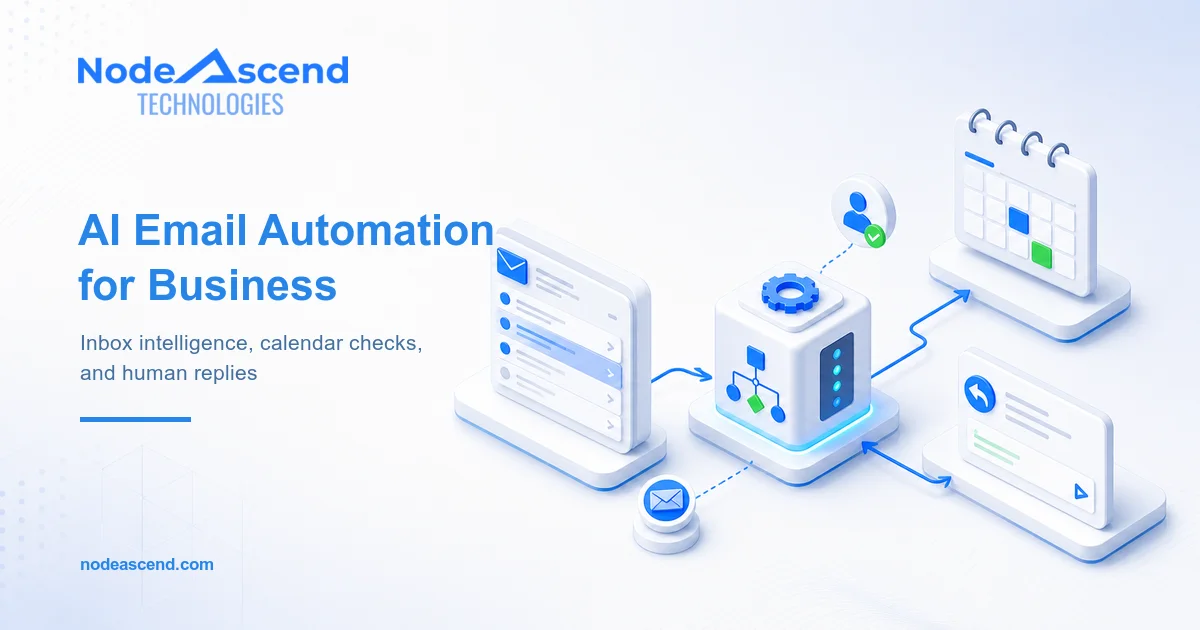
For one client, we built that flow around their existing email and calendar rather than asking the team to adopt another scheduling platform. Here is the architecture, including the parts that matter after the demo.
Other agencies hire NodeAscend for this layer of delivery: turning a promising automation idea into a permissioned, monitored system their client can use every day. We can work behind the agency, with its account team or directly with the end client.
Key takeaways
- Use AI to understand language, not to invent calendar availability.
- Keep scheduling rules deterministic: working hours, duration, timezone and buffer.
- Recheck the slot before creating an event.
- Draft first when confidence is low or the subject is sensitive.
- Train the team to manage exceptions, permissions and logs.
The slow work hiding inside a normal email
An inbox is full of unstructured requests. One person writes, “Can we talk after lunch on Thursday?” Another asks for “30 minutes sometime after the board review.” A third replies to a six-message thread and changes the timezone halfway through it.
A basic keyword rule struggles with that language. A large language model is better at extracting the useful facts:
- Is this actually a meeting request?
- Who needs to attend?
- What duration was requested?
- Which dates or time ranges were mentioned?
- Which timezone applies?
- Does the sender expect a call, video meeting or in-person visit?
The model returns those facts in a strict data structure. It does not book anything. That distinction is the foundation of a safe workflow.
At NodeAscend, we treat the AI response as a proposal that still has to pass software rules. If the model returns an invalid date, an unsupported duration or an uncertain timezone, the message goes to a review queue. Guessing is not a fallback.
How AI email automation services work
The production flow has more steps than the version people sketch on a whiteboard.
| Stage | What happens | What can go wrong | Control |
|---|---|---|---|
| Inbox trigger | A permitted message or folder starts the workflow | Newsletters or internal mail trigger it | Sender, folder and subject filters |
| Intent extraction | AI identifies the request and constraints | Date or timezone is ambiguous | Structured output and confidence checks |
| Calendar query | The system reads free/busy information | Calendar is stale or access is incomplete | Authorised API and explicit calendar list |
| Slot calculation | Rules find suitable options | Back-to-back meetings appear available | Business hours and 30-minute gap |
| Reply drafting | AI writes in the client’s tone | The reply overpromises or sounds strange | Approved prompt, banned claims and review route |
| Event creation | A selected slot becomes an event | Another request took the same slot | Availability recheck and idempotency key |
| Logging | The workflow records its actions | Nobody can explain a bad outcome | Event log, error alert and manual recovery |
The client wanted a 30-minute gap between meetings. We implemented that as a scheduling rule, not as a prompt instruction. If an existing call ends at 3:00 pm, the next proposed meeting cannot start until 3:30 pm. If the new meeting ends at 4:00 pm, the system also checks that the next event does not begin before 4:30 pm.
That buffer protects work that calendars rarely show: finishing notes, moving between rooms, opening the next account and taking a breath.
The calendar API does the factual work
For Microsoft 365, the workflow can use Microsoft Graph to read Outlook mail and request calendar availability. Microsoft’s getSchedule action returns free/busy data for users and resources, with appropriate permissions. Google Calendar provides a comparable freeBusy query for one or more calendars.
Those APIs tell us when a calendar is occupied. Our code applies the client’s rules on top: office hours, holidays, meeting length, buffers, preferred days and the maximum number of meetings per day.
This separation is important. The language model should never answer “Tuesday at 2:00 works” because it remembers a previous API response or thinks the slot looks plausible.
Sources: Microsoft Graph free/busy schedule and Google Calendar Freebusy API.
A human tone comes from constraints, not a clever prompt
“Make it sound human” is not enough guidance.
We first collect a small set of approved replies written by the client or the person whose mailbox will send them. We look for practical patterns: greeting style, sentence length, whether they use first names, how direct they are and what they never say.
The drafting instruction then has boundaries. It can offer only the slots supplied by the scheduling service. It cannot change pricing, promise delivery dates, discuss a complaint or accept contract language. It should keep the response short and ask one clear question when information is missing.
A typical reply structure is deliberately boring:
- Acknowledge the request.
- Reflect the relevant detail so the sender knows the email was read.
- Offer two or three verified slots with timezone.
- Ask the sender to choose one.
- Close in the mailbox owner’s normal style.
That is enough. A scheduling email does not need to demonstrate how articulate the model is.
Where human approval belongs
The best automation is rarely the one that sends the most messages without review. It is the one that knows which messages are routine.
For this client, messages could be drafted automatically when the sender, intent, dates and timezone were clear. Human approval was required when:
- the model confidence fell below the agreed threshold;
- the thread mentioned a complaint, refund, contract or confidential matter;
- more than one internal attendee was required;
- the requested time fell outside normal business hours;
- the sender asked a question beyond scheduling;
- the calendar API returned an error or incomplete response.
The approval screen did not expose model jargon. It showed the original email, extracted details, proposed slots and draft reply. The reviewer could approve, edit or reject it.
This pattern also works inside an Outlook add-in, a small internal dashboard or a Chrome extension when staff need the controls beside the conversation. The right surface depends on how the team already works.
n8n, Zapier or custom AI development?
There is no prize for using the most fashionable automation tool.
Zapier is useful when the workflow uses supported applications, moderate volumes and straightforward branching. It can trigger on Outlook mail, create drafts and work with calendar events. Zapier documents those Outlook actions directly.
n8n gives a technical team more control over data transformation, custom API calls, self-hosting and error branches. Its Outlook integration covers message, draft, calendar and event operations, while code nodes can handle rules that do not fit a visual connector. See the n8n Outlook node documentation.
Custom TypeScript or Python makes sense when the workflow needs tenant-specific Microsoft Graph permissions, uncommon APIs, queues, high throughput, versioned prompts or detailed audit records. It can run as a small AWS service, inside the client’s cloud account or on approved internal infrastructure.
OpenClaw and similar agent tools can help orchestrate multi-step work, but inbox access deserves caution. An agent with mail, files and calendar permissions can do damage quickly if its tools are too broad. We use least-privilege access, allow-listed actions and approval gates rather than handing an agent an unrestricted mailbox.
Sometimes the correct solution is smaller: an automated local script that prepares drafts once an hour. Sometimes it is a full service with queues, monitoring and a CRM write-back. Custom automation should match operational risk, not a sales deck.
What the client team receives after launch
AI development services are incomplete if the client cannot operate what was built.
Our handover covers:
- which mailbox folders and senders can trigger the workflow;
- which permissions the integration holds;
- where failed items and low-confidence drafts appear;
- how calendar rules and holidays are changed;
- how prompts are versioned and tested;
- what the logs record and how long they are retained;
- how to pause the automation without calling a developer;
- which changes require a test environment.
We also run real examples with the people using it. A new system becomes useful when a coordinator knows why one email was automated and another was held back.
Why agencies hire NodeAscend for custom AI automation
An agency may be excellent at strategy, CRM consulting or campaign delivery without maintaining a full AI engineering team. NodeAscend supplies that missing technical depth. We build AI automation services in India for agency partners that need Microsoft 365 automation, Outlook email add-ins, calendar API integration, n8n or Zapier workflows, Chrome plugins, automated local scripts, AWS-based support or a fully custom service.
Our developers do not stop at connecting two boxes. We define permissions, validate AI output, protect human approval points, add logs and alerts, test failure paths and train the people who will operate the workflow. OpenClaw or another agent framework may be part of the architecture, but it is never treated as a substitute for access control and dependable software rules.
That makes NodeAscend useful as a white-label automation partner and as a specialist delivery team on complex client calls. The lead agency keeps a solution it can stand behind; the client receives a system built for real operations.
The larger lesson for business automation
Email scheduling is a modest use case, which is exactly why it is a good place to start. It has a visible trigger, a measurable manual process and a clear definition of a correct result.
The same engineering habits apply to lead routing, report processing, CRM updates and even automated trading systems: separate interpretation from action, set limits, log decisions and build a way for a human to intervene.
The AI is one component. The dependable part is the system around it.
If your team is still reading every routine enquiry, checking three calendars and rewriting the same response, talk to NodeAscend about an automation assessment. We will map the workflow before recommending a tool.
Frequently Asked Questions
Can AI reply to every email automatically?
Technically it can, but it should not. A production workflow needs filters, confidence rules, excluded topics and a human-review route. Routine scheduling messages may be safe to automate; complaints, contracts, pricing changes and unclear requests should normally become drafts for approval.
Can this work with Microsoft 365 and Google Workspace?
Yes. Microsoft Graph exposes Outlook mail and calendar capabilities, while Google provides Gmail and Calendar APIs. The authentication, permissions and event rules differ, so the implementation should be designed for the client's actual tenant rather than copied between platforms.
Should we use n8n, Zapier or custom code?
Zapier suits straightforward app-to-app workflows, while n8n gives technical teams more control over branching and hosting. Custom TypeScript or Python is preferable when the workflow needs unusual APIs, strict data handling, complex scheduling rules, high volume or detailed monitoring.
How do you stop the system from double-booking meetings?
Availability must be checked again immediately before an event is created. The workflow should use the calendar as the source of truth, apply timezone and buffer rules consistently, handle concurrent requests, and return to the sender with new options if a slot has just been taken.
Does NodeAscend train the team after building the automation?
Yes. Handover should cover approvals, exception queues, logs, permissions, prompt changes and recovery steps. The goal is a system the client's team can supervise confidently, not a black box that requires a developer for every small change.