Most small businesses in Faridabad and Delhi NCR hit the same wall during a website build. The layout is done. Copy is approved. The designer is waiting. Then someone asks the question that derails every timeline: “Where are the product images?”
A photoshoot gets booked. Studio, props, lighting, half a day minimum. ₹15,000 to ₹40,000 for images that may not match what the layout actually needed — because nobody knew what the layout needed when the shoot was scheduled.
We stopped recommending that sequence two years ago. As a web design company in Faridabad, we’ve watched it fail too many times. The images come back wrong. The redesign starts over. The client pays twice.
There’s a better way. We use Blender for photorealistic 3D product rendering and AI tools for creative concept work — and the results consistently outperform what clients spent three weeks waiting to get from a studio. Here’s exactly how it works, why it matters for your website’s performance, and when traditional photography is still the right call.
Want to see this applied to your product specifically? Request a free website audit →
Why Expensive Photoshoots Break Website Projects for Small Businesses
Here’s the problem nobody talks about directly: photoshoots get booked before design decisions are made.
You don’t know yet which angles the layout needs. You don’t know whether the hero should be overhead, 45-degree, or straight-on. You don’t know what background colour works with the colour palette — because the palette isn’t locked yet. You shoot everything and hope. Then you find out three weeks later that the image the layout actually needed was never captured.
Back to the studio. Second invoice. Another two weeks.
As a web design company in Faridabad, we’ve inherited this exact problem from clients who came to us after working with other agencies. The sequence was backwards: photography before design direction. It’s the single most predictable source of project delays in small business website builds.
The deeper issue: most business owners can’t visualise what their product images should look like until they see them in context — on a page, in a layout, styled for a brand they haven’t fully defined yet. Traditional photography asks you to commit to visuals before that context exists.
Blender-based 3D rendering and AI creative work flips this completely. You see the visual direction first, approve it, and build the website around confirmed imagery — not the other way around. This is what professional UI/UX design for business actually looks like when it’s done in the right order.
What Blender Does That a Camera Can’t
Blender is open-source 3D software used by studios, game developers, and product designers worldwide. Its Cycles render engine simulates real-world light physics — how photons bounce between surfaces, how materials absorb or reflect different wavelengths, how shadows fall at different times of day.
What that produces, practically: images that look like photographs. Often better than photographs, because every variable is controlled.
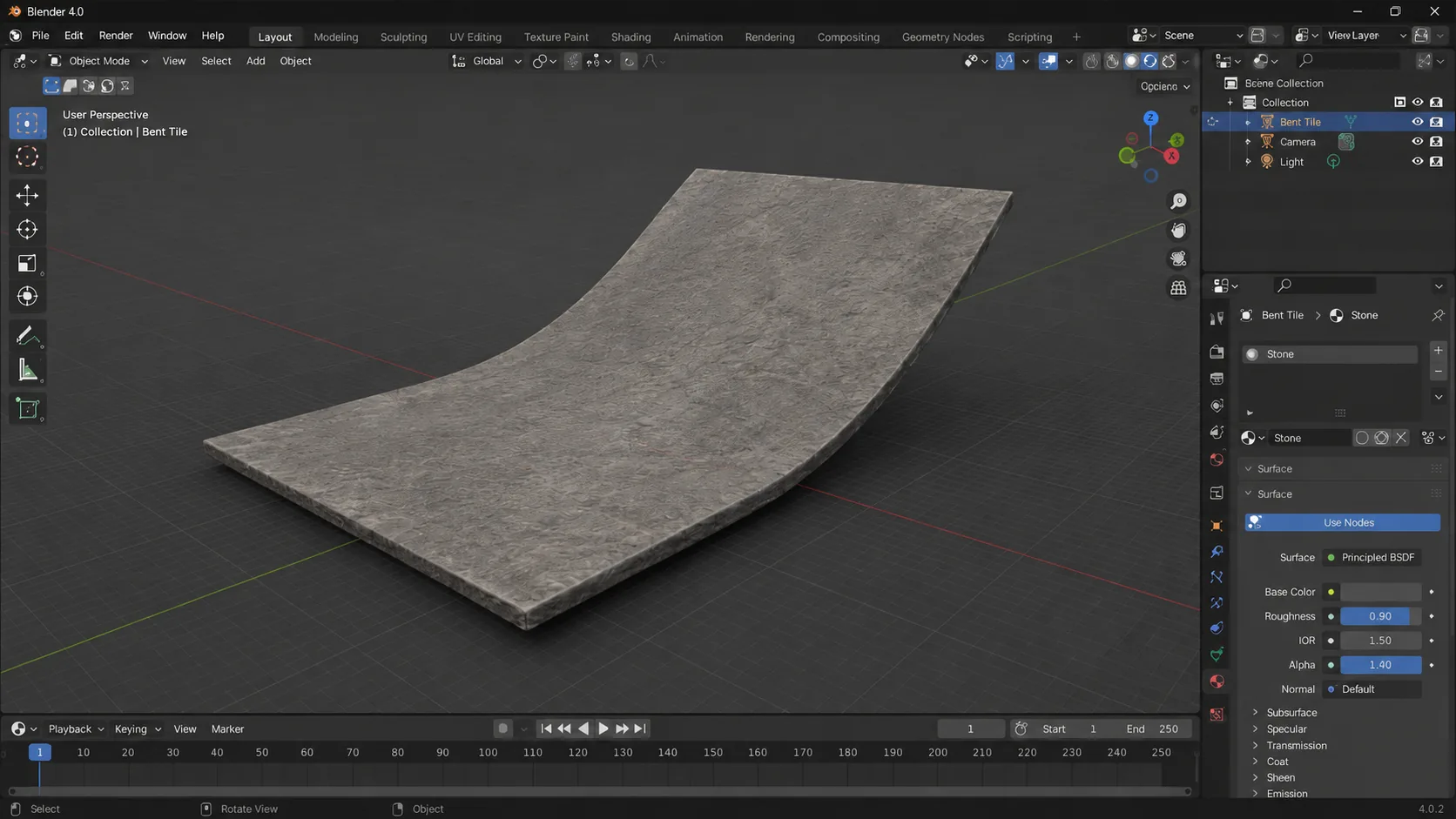
When we model a product in Blender for a web design project, the process runs like this:
Reference gathering. Phone photos of the product are fine. We need dimensions, proportions, surface materials, and distinguishing features — not professional quality. This is where most clients are surprised: we don’t need a good photo to produce a great render.
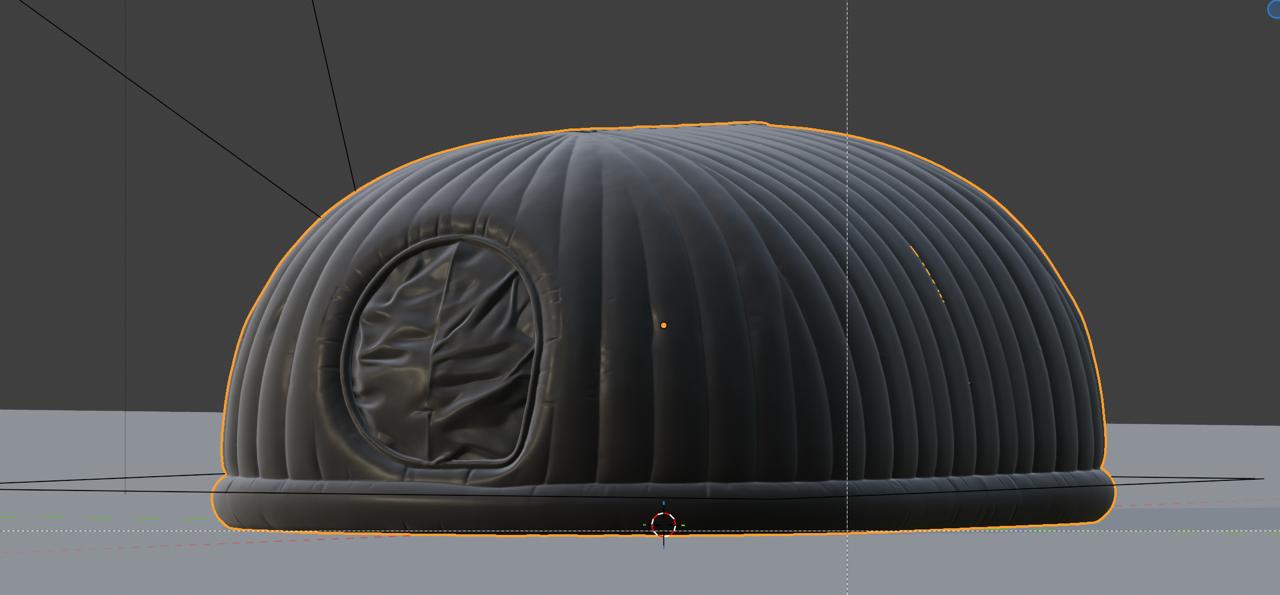
3D modelling. We build the product geometry in Blender. A wall art frame takes 2–3 hours. A piece of furniture with joinery detail takes 6–8 hours. A product container with label graphics takes 3–5 hours. The model exists once — every subsequent angle, colour variant, and environment is generated from the same file.
Material definition. This is where the render starts looking real. We define how each surface interacts with light: the reflectivity of a brushed-metal edge, the subsurface scattering of a frosted resin panel, the grain pattern of a walnut base. Blender’s physically-based material system handles this with the same logic a camera lens would use.
Scene and lighting setup. We place the model in a virtual environment matched to what the website layout requires. White product shot background for e-commerce product pages. Warm interior lifestyle scene for homepage heroes. Context environment matching the brand’s colour palette. The camera angle is set to the exact dimensions the layout needs — desktop hero ratio, mobile crop, thumbnail square — before rendering starts.
Rendering. Cycles calculates the full light simulation and produces the image file. A typical product render takes 15–40 minutes per angle. We produce all required angles in one session: 4–8 images per product, covering every placement the website design needs.
The result: photorealistic, layout-matched product images before a single studio is booked. And because the source is a 3D model, changing colour, finish, background, or angle is a model update — not a reshooting.
Where AI Creatives Come In — and Why They’re Not the Same Thing
Blender handles the product itself. AI creative tools handle the context around it.
Lifestyle photography — where your product sits in a beautifully styled room that communicates your brand’s world — traditionally requires a production budget most small businesses don’t have. Location scouting, props, a model who looks like your target customer, a creative director to hold the brief together. For a Faridabad product brand competing on digital, that’s not a practical option at launch.
We use AI image generation tools (primarily Midjourney, Adobe Firefly, and ComfyUI depending on the output requirement) to generate the surrounding environment. We feed them detailed prompts built from the brand’s confirmed visual identity: the colour palette, the lighting mood, the type of space, the cultural context. The Blender-rendered product is then composited into the generated scene.
The critical distinction: we use AI creatives as a direction-setting tool before any committed production. We can generate thirty variations of a lifestyle scene in under an hour. The client sees different rooms, different lighting moods, different levels of visual density. They react, direct, refine. “More minimal.” “Warmer light, less contrast.” “The setting should feel aspirational but not out of reach.”
That iteration costs nothing in production time — we’re moving generated images around, not re-rendering 3D files or rebooking studios. By the time we start the Blender work, the visual direction is locked and approved. No surprises at delivery.
This is what we mean by creative direction before commitment: you decide what your visuals need to communicate before you spend anything on production. It’s the same principle that separates good professional website designing from expensive, revision-heavy website building.
Our 5-Phase Workflow: Brief to Web-Ready Images in 6 Days
This is the actual sequence we follow on every project that uses this approach.
Phase 1 — Brand and Visual Direction (Day 1–2)
Before any 3D work starts, we lock the visual language: colour palette, typography system, brand mood board. This feeds directly into the Blender scene setup and AI prompts. Skipping this phase produces technically accurate renders that feel tonally wrong — the right product, the wrong world.
Phase 2 — AI Creative Concepts (Day 2–3)
We generate 20–30 AI concept images showing the lifestyle environment, colour story, and scene composition. These are directional, not final. The client reviews and provides specific direction. This is where most of the creative decision-making happens — and it costs nothing in committed production time.
Phase 3 — Blender Modelling and Rendering (Day 3–5)
With direction confirmed, we build the 3D product model and set up the scene to match the approved AI concept. We render every angle the website layout needs: full-width desktop hero, mobile-cropped version, product page feature image, catalogue thumbnail, hover-state alternate. All from a single model session.
Phase 4 — AI Compositing and Enhancement (Day 5–6)
Blender renders are composited into the finalised AI-generated lifestyle scenes. We handle colour grading, shadow integration, depth-of-field matching, and scene-level lighting consistency. The composite needs to read as a single image shot in one environment. When done correctly, it does — and most viewers can’t tell it wasn’t photographed.
Phase 5 — Web Integration (Day 6–7)
Final images exported in WebP format, compressed under 200KB each for Core Web Vitals compliance. Alt text written with SEO-friendly keyword variations. File names set to descriptive conventions (product-name-lifestyle-nodeascend.webp). Images go directly into the build, sized and formatted for every breakpoint. Mobile-first responsive treatment — the same standard we apply to every element in our web design process.
Total: 6–7 working days from brief to web-ready image set.
The traditional route for comparison: shoot scheduling (1–2 weeks), shoot day, editing turnaround (5–7 working days), layout integration, discovering the angles don’t match, reshooting. Six to ten weeks minimum, optimistically managed.
Real Project: What This Produced for Aurum Wall Decor
The clearest example we can point to is Aurum Wall Decor — whose complete brand identity and website we built here.
Aurum came to us with no professional photography. Phone photos of their pieces against a wall. A makeshift website that loaded in 6.4 seconds on mobile and bounced 76% of visitors. The product was genuinely beautiful; the digital presence actively misrepresented it.
We used Blender renders for all product imagery at launch. Every product page used a full-width photorealistic render. The About page used a Blender-based process scene showing the crafting environment. No studio was booked. No photographer was briefed.
The images on the live site looked better than most competitor sites that had invested in studio shoots. Not because Blender is magic — because we built the images to fit the design, at the exact dimensions and angles the layout required, in a visual style that matched the brand direction we’d locked before a single render started.
Results at six weeks post-launch:
| Metric | Before | After |
|---|---|---|
| Mobile load time (FCP) | 6.4s | 1.2s |
| Bounce rate | 76% | 41% |
| Average session duration | 48 sec | 3 min 12 sec |
| PageSpeed Mobile score | ~34 | 89 |
The load time improvement came from image optimisation built into the rendering workflow — WebP output, lazy loading, correct dimensions for every breakpoint. This is why professional website designing and image production can’t be separate workstreams: the performance decisions are made at the same time as the visual ones.
Why This Approach Beats Traditional Photoshoots for Most Clients
The case for traditional photography is real. Nothing fully replicates the look of a photograph shot in natural light by a skilled photographer who understands your brand. If you’re a luxury jewellery label or a premium food brand, book the studio.
But most businesses we work with as a web design company in Faridabad aren’t at that scale yet. They need a website that works now, with visuals that communicate the brand accurately, without a six-week production delay and a ₹40,000 photography invoice before the site is even designed.
For them, the Blender and AI workflow wins on every dimension that matters at launch:
Speed. Product visuals are ready before the first homepage wireframe is approved. The layout is designed around confirmed imagery — not built hoping the photography will fit later.
Flexibility. The client wants to see the product in a cream finish instead of walnut? Twenty minutes in Blender. They want a horizontal crop for desktop and a vertical crop for mobile? Both rendered in the same session to exact pixel dimensions.
Performance. Images are produced at the correct dimensions and formats for web from the start. No resize-and-hope. No layout shift because an image loaded at the wrong aspect ratio. This directly affects Core Web Vitals scores — specifically CLS (Cumulative Layout Shift) and LCP (Largest Contentful Paint), both of which Google uses as ranking signals.
Cost. For most web design projects we take on, Blender rendering and AI creative direction are included in the website design scope — not a separate invoice. The production cost is absorbed because the workflow is integrated, not outsourced.
Iteration before commitment. This is the argument that usually closes the conversation. Before any production is committed, the client has seen thirty different visual directions and approved one. That approval is based on seeing the product in context, in the brand environment, at the correct scale on the page. Not on a mood board, not on a photographer’s portfolio — on the actual design.
Who This Is Right For — and Who Should Still Book a Studio
This workflow is the right choice for:
- Physical product businesses that need website imagery but can’t schedule or afford a professional shoot at launch
- Service businesses that need lifestyle and brand imagery without a tangible product to photograph
- Brands launching new product lines who want to validate visual direction before committing to production
- E-commerce businesses on Shopify or WooCommerce who need consistent, layout-matched imagery across a large catalogue
- Founders who need to move fast — six weeks of photography delays is six weeks before your first customer lands on a working site
Traditional photography is still the right answer when:
- Surface detail at macro scale is what drives the purchase (fine jewellery, luxury watches, handmade ceramics where texture is the selling point)
- Food and beverage where steam, condensation, and the live physics of liquid need to be real
- Fashion where real-fabric drape and human movement are central to the brand
- Any brand where “authentic and unretouched” is explicitly part of the positioning
For everything else — which is most of the product and service businesses we work with — Blender and AI creatives produce better website imagery, faster, at lower cost, with more flexibility to iterate. The question isn’t whether this produces good images. It does. The question is whether it produces the right images for your brand. That’s what Phase 2 settles, before any production budget is committed.
Start With a Free Audit of Your Current Website Visuals
If your current website visuals aren’t doing justice to what you actually sell — or if you’re building a new site and don’t want to wait six weeks for a photoshoot — this is where we start.
As a web design company in Faridabad with 10+ years of engineering experience, we’ve built professional website designing workflows that include Blender rendering and AI creative direction as standard for product-based clients.
We offer a free technical and design audit — an honest read of what your visuals are currently communicating, where they’re losing you customers, and what a Blender-and-AI approach would specifically look like for your product.
Request your free website audit → or WhatsApp us directly at +91-9582818240.
No sales pitch. No package presentation. Just an engineer’s honest assessment of what would actually work.
Frequently Asked Questions
What is 3D product rendering and how is it different from regular photography?
3D product rendering uses software like Blender to simulate how light interacts with a virtual model of your product. The output is an image file that looks like a photograph — often more controlled and consistent than a real photo because every lighting variable is adjustable. Unlike photography, you can change the colour, finish, background, and camera angle of a rendered product without reshooting. For our web design projects in Faridabad and Delhi NCR, this means clients get layout-matched product images built to spec, not adapted from a shoot that happened before the design was confirmed.
How does AI creative work fit into a web design project?
AI creative tools generate the lifestyle context around a Blender-rendered product — the room, the environment, the scene composition. We use them primarily in the concept phase, generating 20–30 directional variations that a client reviews and approves before any committed production starts. This is creative direction before commitment: the client sees the visual language of their website before the layout is built, and the layout is designed around confirmed imagery. It’s a standard part of our UI/UX design for business workflow for product-based clients.
Can these renders replace professional photography entirely?
For most small business website use cases: yes. On screen, a well-executed Blender render is indistinguishable from a photograph. IKEA has used CGI for the majority of their catalogue imagery for over a decade. The exceptions are situations where live physics can’t be replicated — food steam, fabric drape at full movement, macro jewellery detail at 1:1 scale. For wall art, furniture, packaged goods, decorative products, and most physical product categories small businesses in India operate in, 3D renders perform at least as well as studio photography on a website.
How much does this cost versus a traditional photoshoot?
For clients working with us on a full web design project, Blender rendering and AI creative work are included in the project scope — not a separate line item. For reference: a professional product photography session in Delhi NCR for a small range typically runs ₹25,000–₹60,000 plus 2–3 weeks of scheduling and turnaround. Our Blender workflow for the same product range is faster, included in the web design engagement, and produces images built to the exact dimensions the layout needs. Get a project-specific estimate at nodeascend.com/contact.
How long does 3D modelling take per product?
Simple geometric products — a candle, a box, a framed print — take 2–4 hours to model. Mid-complexity products with labels, multiple materials, or distinctive joinery take 4–8 hours. Complex products with fine mechanical detail or organic shapes take 10–16 hours. Once modelled, the same file produces unlimited angles, colour variants, and background environments. In a typical web design project, we model 5–10 products in 3–5 days and render the full image set in one session.
Does this affect how the website ranks on Google?
Yes, directly. Images produced through our workflow are exported at correct dimensions for every breakpoint, compressed to under 200KB in WebP format, and alt-tagged with SEO-relevant descriptions. This directly improves Core Web Vitals — specifically LCP (Largest Contentful Paint, the speed of your largest visible image loading) and CLS (Cumulative Layout Shift, penalised when images load at wrong dimensions and push content around). Both are live Google ranking signals. A website designed by a quality web design company in Faridabad should treat image production and web performance as the same decision — not separate workstreams.