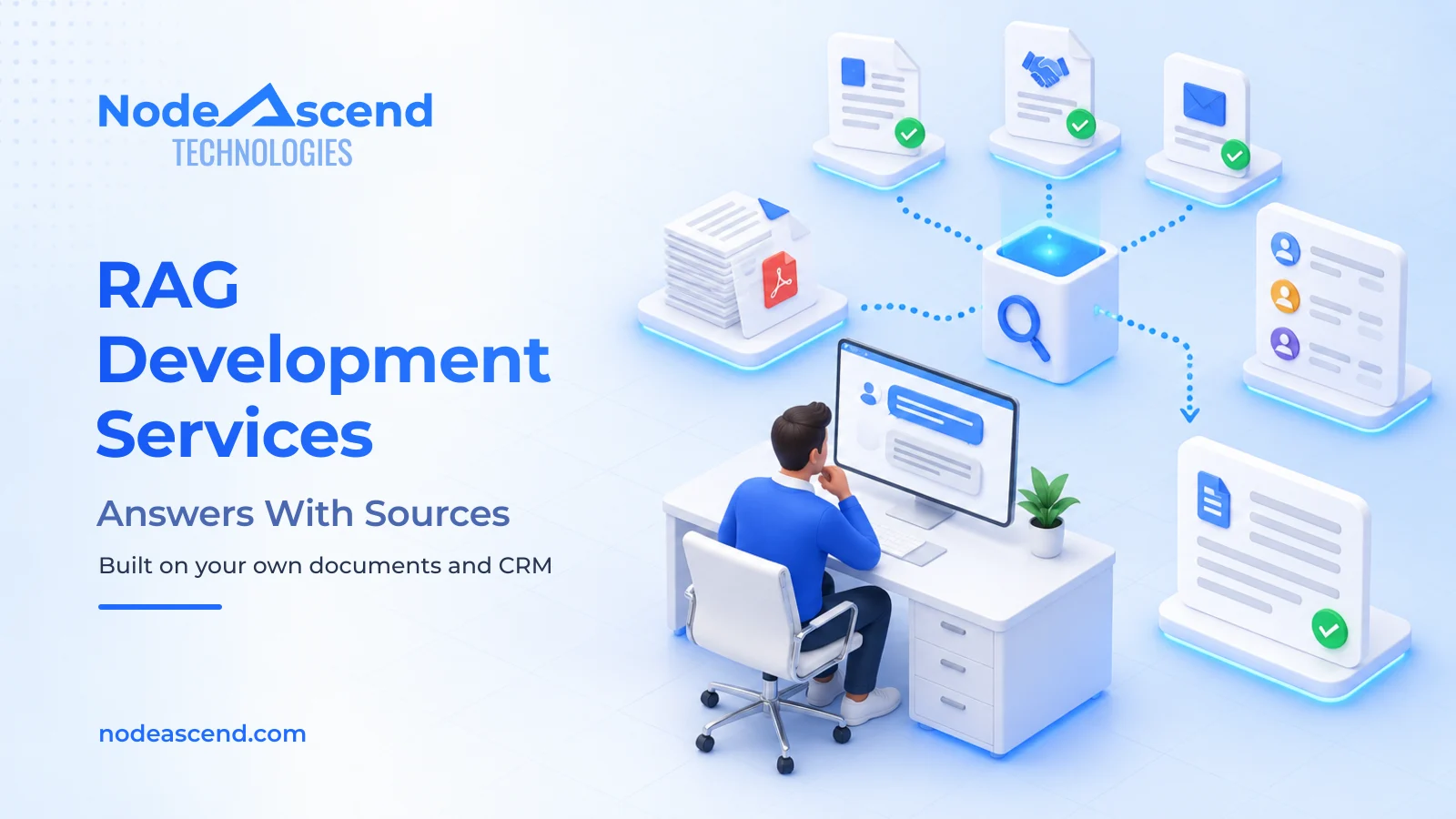
Your sales head has a renewal call at three o’clock. The CRM shows the deal value, the stage and the date of the last follow-up. It won’t show the delivery penalty you agreed last year, or the email in March where the buyer complained about packaging. That information exists. It’s split between a quotation PDF, a contract and someone’s inbox, and finding it means interrupting two colleagues.
That gap is what our RAG development services are for. A RAG system lets your team ask in plain English and answers from your own files, showing the page it took each answer from. It works beside your CRM rather than replacing it.
Here’s the short answer. If the answer sits in a field your CRM already tracks, your CRM is enough. If it sits inside documents, emails and notes, that’s a RAG project. We deliver RAG development through our AI automation service, and we build CRMs too, so we have no reason to sell you the wrong one.
How a RAG system answers from your own files
A CRM works like a well-organised form. Every lead gets the same boxes: name, source, value, stage, owner and next follow-up. Ask about those boxes and it answers in seconds, because the data is already sorted.
Most of what your business knows never goes into a box. It lives in the revised quotation, the 14-page contract, the email asking for 60-day credit, the product catalogue and the notes from last month’s visit. A CRM can store those files as attachments. Someone still has to open them and read.
RAG stands for retrieval-augmented generation. The idea is simpler than the name. When you ask a question, the system first finds the relevant pages in your files and records. An AI model then reads only those pages and writes the answer, with a reference to each source so you can check it.
Think of a colleague who has read every quotation and contract you have sent, and always tells you which page they are quoting. It can read your CRM too, so one question can pull the deal stage from the CRM and the agreed terms from the contract. When the answer isn’t in your files, a well-built system says so instead of guessing. A public chatbot can’t do this, because it has never seen your documents.
Is your CRM enough? Check where the answer lives
Before you spend anything, list the questions your team asks every week and note where each answer lives.
| Question your team asks | Where the answer lives | What should answer it |
|---|---|---|
| Which quotations above ₹2 lakh have had no follow-up for 14 days? | Amount, stage and activity fields | Your CRM, as a saved report |
| How many enquiries came from IndiaMART this month? | Lead source field | Your CRM |
| What is our total overdue balance? | Accounts software | An accounts report, not AI |
| What payment terms did we agree with this customer last year? | Signed quotation or contract | A RAG system |
| Has this customer complained about delivery before? | Emails, call notes, service tickets | A RAG system |
| What did we quote them last time, and why did we lose it? | Old quotation, email thread, visit notes | A RAG system |
| Which of our products meets this tender’s specification? | Catalogues, test reports, the tender document | A RAG system |
The rule is simple. If you can answer by filtering a column, your CRM or accounts software should do it, and a saved report costs far less than any AI project. If someone has to open files and read, that’s where a RAG system earns its cost. Sort your own list into those two groups: the first is a reporting fix, the second is a RAG project.
One honest warning. RAG reads what’s there; it doesn’t fix records nobody updates. If follow-up dates are blank because calls get logged on WhatsApp, a RAG system will report the same gaps. Fix the habit or the CRM first. We have built a custom CRM for field sales teams for exactly that problem, and we’d rather tell you upfront than sell you the wrong project.
Where RAG saves your sales team the most time
The time goes in small searches repeated all week. These are the questions where a RAG system pays off first:
- Before a call: “Summarise our last three conversations with this customer and anything still open.”
- While quoting: “What did we quote this customer for the same item last year, and what discount did we give?”
- On a tender or RFQ: “Which of our products meets this specification, and where is the test report?”
- When someone joins: new staff ask the system instead of interrupting the person who remembers every account.
- After the sale: “What warranty did we promise on this order?”
An answer you can check
Ask “What terms did we agree with this customer on their last order?” and a useful answer looks like this:
Delivery within 21 days of the purchase order, with a 2% penalty per week of delay, capped at 10%. Payment 45 days from invoice.
Sources: revised quotation Q-197, page 2; the buyer's email of 14 August confirming 45-day credit. Last refreshed today at 09:00.
Not found: no signed contract for this order in the connected folders. Check with the account owner before quoting these terms.
Every line points back to a document your team can open. The gap is shown too, which is what stops a confident wrong answer reaching a customer.
20 hours a week back, across the team
Here’s how the time can add up. These are planning figures for a pilot, not a client result, and the “with RAG” column includes the time spent checking sources.
| Repeated task | Each week | Time today | With RAG, including checks | Time saved |
|---|---|---|---|---|
| Find contracts, quotations and procedures | 40 lookups | 8 hours | 2 hours | 6 hours |
| Answer routine internal questions | 60 questions | 6 hours | 2 hours | 4 hours |
| Prepare account and quotation summaries | 30 summaries | 6 hours | 2 hours | 4 hours |
| Gather material for weekly reports | 4 reports | 12 hours | 6 hours | 6 hours |
| Total across the team | 32 hours | 12 hours | 20 hours |
That’s 20 hours a week across the team, close to half of one person’s working week. It goes back into follow-ups, quotations and the customers who need a call. During a pilot we measure the same tasks before and after, including corrections and searches that came up empty, so the number you see is yours rather than ours.
What a RAG system costs, and when it pays back
The build price depends on how many sources you connect, how messy they are and how many people use the system. One clean folder of PDFs is a small job. Several databases, scanned files and different access rules for each department make a bigger one.
Here’s an example to help you budget. It isn’t a quote or a market rate.
| Item | Example figure |
|---|---|
| Setup: connecting sources, preparing files, building and testing | ₹3,00,000 one time |
| Cloud hosting | ₹5,000 a month |
| AI usage | ₹2,000 a month |
| Support, updates and monitoring | ₹8,000 a month |
| Running cost | ₹15,000 a month |
Your team gives some time as well. Someone needs to choose the sources, confirm who can see what and check a set of sample answers before launch.
Saved hours only become money when something changes: less overtime, less outsourced data entry, or more quotations followed up and won. Put a monthly rupee value on that change, take off the ₹15,000 running cost, and divide the setup cost by what’s left.
| Monthly value of the time saved | Left after running cost | Setup paid back in |
|---|---|---|
| ₹25,000 | ₹10,000 | 30 months |
| ₹40,000 | ₹25,000 | 12 months |
| ₹55,000 | ₹40,000 | 7.5 months |
If the saved time doesn’t change anything you can measure, the system won’t pay back, however impressive the answers look. That’s why we prove the saving on a pilot before you commit to the full build.
Who sees what, and where your data stays
Each person sees only what they’re allowed to see. Sales sees their own accounts, finance sees payment terms and payroll stays with HR. We apply those rules before the AI reads anything, so a restricted file can’t slip into someone else’s answer.
You choose where the system runs:
- On your own server. Built fully in-house, your documents stay on your premises. A smaller AI model runs locally, so you pay for hardware and upkeep instead of monthly AI usage.
- In your own cloud account. We set it up and manage it on AWS, in an account you own. It’s quicker to start and easier to grow as more people use it.
Files change, and the system keeps up. When a quotation is revised, the new version replaces the old one in its answers. When a file is deleted or someone moves department, access changes with it. Each answer shows when its source was last refreshed, and if an update fails, the system tells you instead of quietly serving old information.
What our RAG development services include
Everyone on our team writes code. We build the system around your questions and your files, connect it to the CRM you already use, and stay responsible for it after launch.
- We start with your questions. We collect the 10 to 20 questions your team asks most and the files that answer them, rather than loading your whole drive.
- We prepare the sources. We read scanned files, remove duplicates and keep dates, versions and owners attached, the same groundwork behind our document-to-CRM automation.
- We show you a working version. For a narrow set of questions on clean files, we can usually show it running on your own documents within 24 to 48 hours. Larger collections get a short discovery first.
- We pilot and measure. Your team uses it on real work while we compare time and accuracy with the before-numbers.
- We run it and hand over. We keep sources in sync, watch for failed updates and fix what breaks. The accounts and the data stay yours.
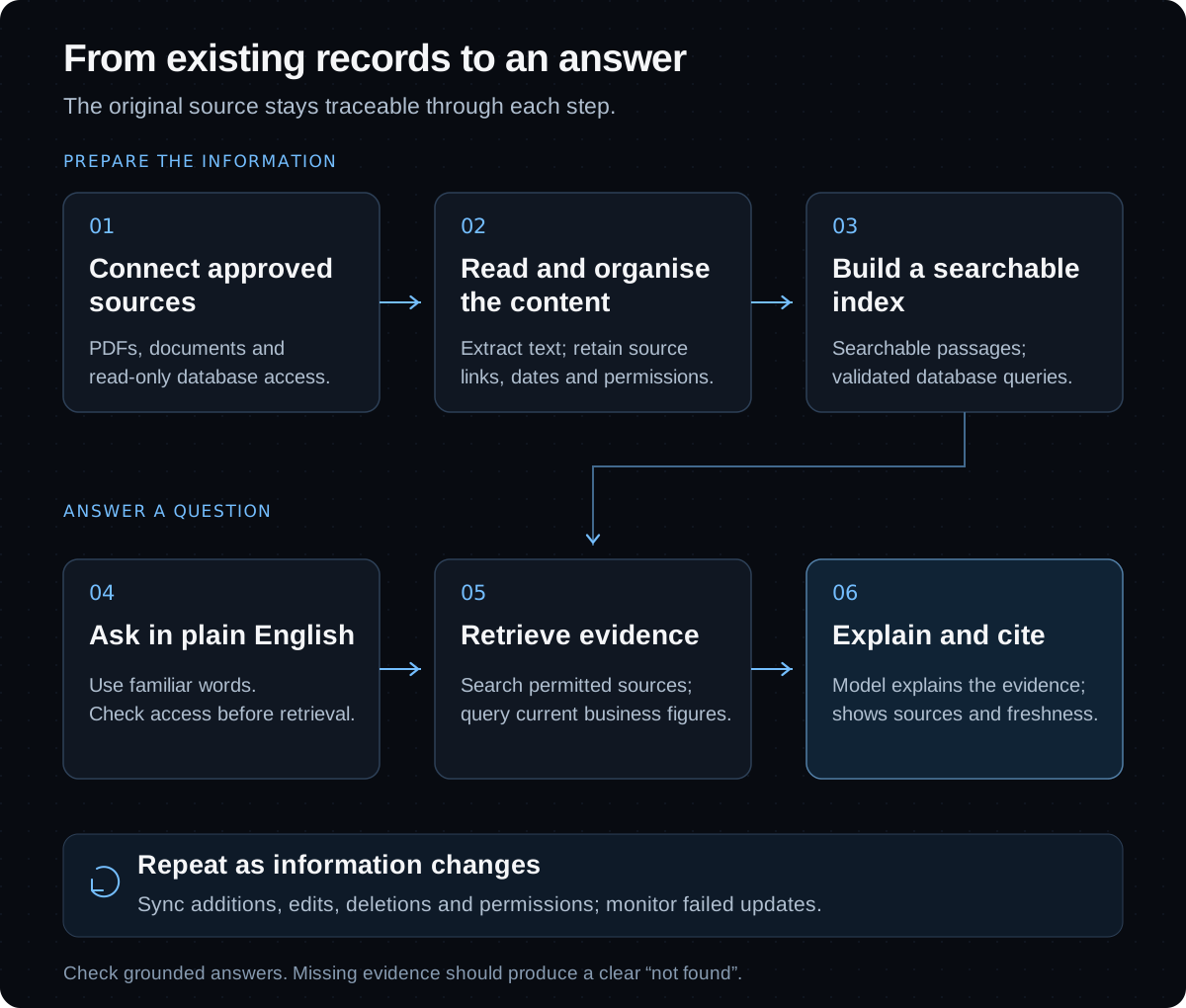
Every answer cites its source and says “not found” when the evidence isn’t there. We used the same evidence-first design in our AI persona engine, where retrieval is filtered so evidence from one market can’t slip into another’s results.
Once the answers are reliable, the system can take the next step for you. It can draft the follow-up email or create the CRM task, then wait for your approval before anything reaches a customer. Our guide to AI agent development covers that stage.
If most of your team’s weekly questions need someone to open files and read, that’s a RAG project, and it’s the kind we build.
Share the questions your team answers every week, and where the answers live today.
Frequently Asked Questions
Can a RAG system replace our CRM?
No, and it shouldn't. Your CRM stores customer records, sales stages and tasks, and runs your pipeline. A RAG system reads those records alongside your documents and answers questions about them. If the CRM itself is the problem, because it is slow, wrong for your process or nobody updates it, that is a CRM project, and it is worth fixing before adding anything on top.
How is a RAG system different from ChatGPT?
ChatGPT answers from general knowledge and cannot see your files. A RAG system answers only from the documents and records you connect, shows the source behind each answer and says "not found" when the evidence isn't there. Access rules decide who can see what, and on a fully private setup your documents stay on your own server.
How much does a RAG system cost?
It depends on how many sources you connect, how clean they are and how many people use it. As an example for budgeting, not a quote: ₹3,00,000 to set up and ₹15,000 a month for hosting, AI usage and support. A fully private setup on your own server swaps some monthly costs for hardware and upkeep.
How quickly can we see it working?
For a narrow set of questions on clean files, we can usually show a working version on your own documents within 24 to 48 hours. Large document collections need a short discovery first. After that, a pilot on real work shows how much time it saves your team before you commit to the full build.